


MePic-AI Photo Video Generator
4.51.16K Reviews
App Specs
- Version
- 4.7
- Updated On
- License
- Free
- Downloads
- 5,000,000+
- Developer
- Ocean Float Mobile
- Categories
- Art & Design
- Platform
- Android, iOS
Screenshots

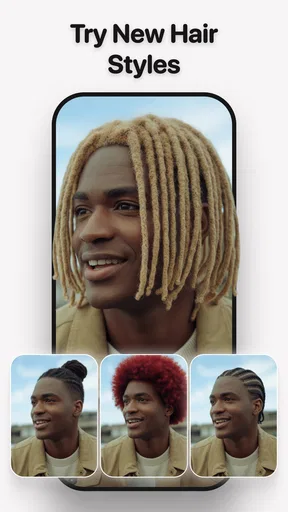
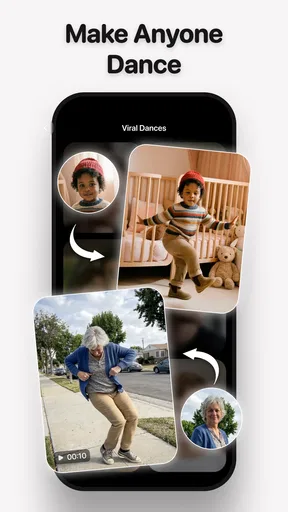
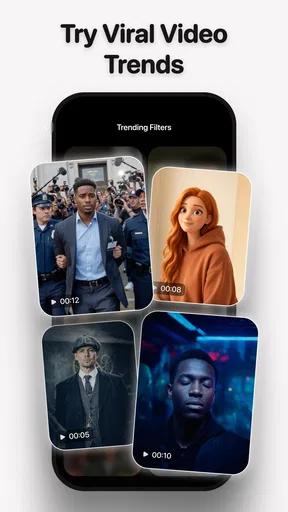

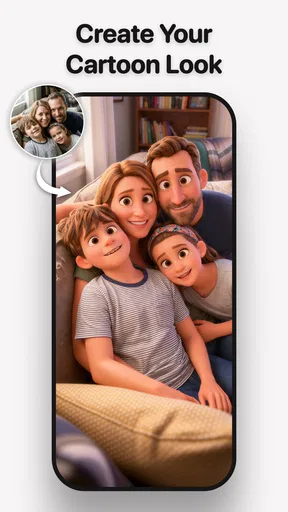

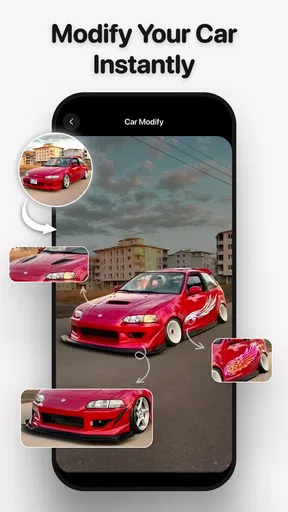
 Analysis by AppCompare
Hey there! So, I’ve been diving into this app called MePic-AI Photo Editor, Video, and let me tell you, it’s been quite the ride. If you’re into transforming your photos and videos into something magical, you might want to stick around for this one.
I approached it as a quick creative tool rather than a replacement for a full editing suite: start with an ordinary photo or clip, make a few targeted changes, and decide whether the result is ready to share. That distinction matters. The appeal here is the combination of AI-led transformations and familiar editing controls, not a promise that every image will need no further work.
Choosing the right starting point
For the smoothest first try, I’d pick a clear selfie or a photo with one obvious subject. That gives the automatic adjustments a sensible base and makes it easier to judge whether a filter or transformation is helping. A dim, cluttered image can still be fun to experiment with, but it is harder to tell whether an effect improved the picture or simply made it look more dramatic.
It also helps to decide what you want before opening the editor. A profile avatar, a playful image for a group chat, and a short social clip call for different levels of polish. With a specific goal in mind, I can stop once the result fits the occasion instead of piling on effects just because they are available.
First Impressions and Getting Started
When I first opened MePic-AI Photo Editor, Video, I was greeted with a sleek and modern interface. It’s super user-friendly, which is always a win in my book. The app doesn’t bombard you with a million options right out of the gate. Instead, it eases you in, letting you explore at your own pace.
The home screen is neatly organized with clear icons, so you know exactly where to go, whether you’re editing a photo or a video. Plus, the AI features are right at the forefront, promising to make your editing process a breeze. I was pretty eager to see if it lived up to the hype.
MePic is a free art-and-design app from Ocean Float Mobile. It has a 4.2 average from around 13,000 ratings and more than a million installs, so it is not a niche experiment, though those numbers alone do not tell me whether its style will suit you. It is rated for Everyone, runs on Android 6.0 and later, and version 2.6 is the current version I reviewed. In-app purchases range from $4.99 to $119.99 per item, so I’d explore what is usable at no cost before committing to anything paid.
Worth Reading Before You Choose

Baby Panda World Brings Quick Play to Modern Phones, but Its Game Library Feels Busy

ESPN’s Live Game View Makes Following Close Games Easier

QuizzLand Review: A Good Fit for Short Trivia Breaks, Not Every Player

Basketball Stars: Multiplayer Is Fast, but Can It Recover When Matches Go Wrong?

WEBTOON Turns Phone Updates Into a Better Reading Routine

Link to Windows Runs on Shared Habits, Not Social Feeds
One practical question is whether it is only for quick novelty edits. I found the strongest case is a mix: use the automatic tools to get a new look quickly, then make restrained manual adjustments if the image needs them. If you want precise retouching for client work, careful layers, or a consistent professional workflow across many images, a dedicated desktop editor or a more control-heavy mobile app is still the better fit.
Features That Stand Out
One of the standout features is definitely the AI-powered editing tools. These tools are designed to enhance your images with minimal effort on your part. For instance, the app can automatically adjust lighting, remove blemishes, and even add some pretty cool effects. It’s like having a mini Photoshop in your pocket!
Another feature I loved was the video editing capabilities. You can trim, merge, and add music to your clips. The transitions are smooth, and there’s a decent variety of filters to give your videos a unique touch. It’s perfect for those Instagram stories or TikToks you’ve been planning.
A practical photo-to-post workflow
For a realistic everyday use, imagine I take a quick portrait before meeting friends and want a brighter, more lively version for a group chat. I’d begin with the original image, try an AI enhancement, and compare the outcome with the untouched photo before adding any extra styling. Then I’d adjust brightness or saturation only if the automatic result pushed the colors too far. That small pause to compare versions is useful: it helps keep skin and background details from becoming more polished than I intended.
If the image is meant to become an avatar, I’d check how it looks at a small size before spending time on stickers, text, or overlays. Fine details that look amusing full-screen can become visual clutter in a tiny profile image. For a meme, the reverse may be true: a simple crop and readable text can matter more than a subtle lighting correction. Matching the workflow to the destination keeps the editing focused.
Video calls for a different kind of restraint. I’d trim a clip to the moment that matters, join only the pieces that belong together, and add music after checking that it does not distract from the footage. Filters can help separate a clip from the usual phone-camera look, but applying the same treatment to every shot is not automatically a good idea. A short sequence often feels more coherent when the clips share a similar tone.
Playing Around with AI
The AI aspect of this app is where the real magic happens. I played around with some of my favorite selfies and was amazed at how effortlessly the app could transform them. The AI can detect the best parts of your photo and enhance them, giving you that flawless look without turning you into a completely different person.
There’s also an option to animate your photos. Yes, you heard that right! You can add movement to still images, making them pop in a way that’s both subtle and striking. It’s perfect for those times when you want to stand out in your social media feed.
Keeping the result believable
AI enhancement is most useful when I treat it as a first pass, not an instruction to accept every change. A face can look cleaner while losing some of the little details that make it recognizably yours. I’d check the result at normal viewing size and ask whether it still looks like the person in the original. If the edit catches attention for the effect rather than the subject, I’d dial back the ambition and try a simpler treatment.
Photo animation is better approached as a playful variation than as a fix for an uninteresting picture. A still image needs a clear subject and composition before motion can make it more engaging; movement cannot rescue a photo that has no focal point. I’d use animation for a post where a small surprise is welcome, while keeping a straightforward still image for a formal profile or anything where a conventional portrait is expected.
There is also a useful trade-off between speed and consistency. An automatic effect can quickly give one image a distinctive look, but recreating that look across a series may take extra care. If I’m preparing several photos from the same occasion, I’d compare them side by side and avoid judging each one in isolation. That quick review catches mismatched color or intensity before the pictures are shared together.
Customization and Creativity
While the AI tools are fantastic, the app doesn’t skimp on manual editing features either. You have complete control over things like brightness, contrast, and saturation. There’s also a nifty tool for adding text to your photos, which is great for memes or inspirational quotes.
The sticker and overlay options are a fun addition. You can layer these onto your photos for that extra bit of flair. I found myself spending a good chunk of time just experimenting with different combinations.
My practical tip is to make one change at a time. If I alter brightness, add a filter, place an overlay, and then add text without checking between steps, it becomes difficult to spot which choice made the result feel wrong. A cleaner sequence is to correct the basic look first, choose one visual treatment, and add decoration last. For text, I’d keep the wording short and check that it remains legible against the image rather than assuming a bold font solves every contrast problem.
That layering freedom is enjoyable, but it can also make a picture busy quickly. Stickers and overlays work best when they support the subject or the joke. If they compete with a face, a product, or the text, removing one layer is often a better edit than adding another. This is where the app’s approachable style suits casual creativity, while a more precise editor is preferable when placement and fine control are essential.
Moving between photos and video
The useful handoff is from choosing media to deciding where the finished piece will go. A photo intended for a profile benefits from a clean crop and restrained effects; a social clip can tolerate more movement and music. Before I begin, I’d pick the image or footage that fits the intended format, because trying to force one composition into every destination can leave the subject awkwardly framed.
After editing, I’d take a moment to review the output in the context where I plan to use it. Check that text is still readable, the focal point is not hidden, and the music or transitions do not pull attention away from the clip. This is a small but useful quality check, especially when a piece combines several edits. The app can make creation feel quick, but the last review is still my responsibility.
Ease of Use and Accessibility
MePic-AI Photo Editor, Video is designed with everyone in mind. Whether you’re a newbie or a seasoned editor, you’ll find it easy to navigate. The tutorials are helpful without being overwhelming, and the app’s performance is smooth, with no noticeable lags or crashes on my device.
The app is free to download, which is always a plus. There are in-app purchases for some premium features, but the free version is packed with enough tools to keep you entertained and satisfied.
As with many apps that offer paid extras, I’d treat the free experience as a chance to learn whether its editing style suits me before buying anything. The listed purchase range is broad, from $4.99 to $119.99 per item, so it is worth reading each purchase prompt carefully and deciding whether a specific option solves a real need. I would not pay simply because an effect looks tempting in the moment; I’d first see whether the free tools already handle the kind of photo or clip I make most often.
For someone who wants a quick social-media edit, the approachable layout is a real advantage over opening a more complex editor and working through controls they may never use. The trade-off is that an easy interface is not the same as deep control. If your routine depends on exact color matching, detailed masking, or repeatable edits across a large batch, I’d choose a tool built around that level of precision instead.
Where the flow can break
The main friction is not that the app lacks things to try; it is deciding when to stop. AI effects, animation, filters, text, stickers, and overlays can all pull an edit in different directions. If the goal is a natural portrait, too many treatments can work against it. If the goal is a deliberately playful post, that same experimentation may be the point. I’d keep the intended audience in mind and save the more exaggerated look for a context where it feels right.
Another point to consider is the difference between a quick creative result and a polished production. Trimming, merging, music, and transitions are handy for short clips, but people who need intricate timelines or detailed audio control may prefer a dedicated video editor. Likewise, anyone who wants to preserve a very specific photographic style may be happier with a conventional editor where every adjustment is deliberate rather than AI-led.
So who is this best for? I’d recommend it to casual creators who want to make portraits, avatars, playful transformations, or short social videos without turning the process into a technical project. It is also a reasonable choice for a beginner who wants to explore manual controls alongside automated effects. I’d skip it if my priority were professional retouching, exact repeatability, or advanced video production; those needs call for tools with more granular control.
Final Thoughts
Overall, I’d say MePic-AI Photo Editor, Video is a solid choice for anyone looking to up their editing game. The AI tools are impressive and genuinely enhance your photos and videos without much hassle. It’s a creative powerhouse that fits right in your pocket.
So, if you’re ready to unleash your inner artist, go ahead and give this app a whirl. It might just become your new favorite editing companion. Happy editing!
Pros
- Intuitive interface for easy navigation.
- Wide range of AI editing tools.
- High-quality export options available.
- Supports multiple image formats.
- Regular updates with new features.
Cons
- Some features require in-app purchases.
- Occasional lag on older devices.
- Limited video editing capabilities.
- Ads can be intrusive at times.
- Requires internet for full functionality.
FAQs for MePic-AI Photo Video Generator
What features does MePic-AI Photo Editor, Video offer?
MePic-AI Photo Editor, Video provides a comprehensive suite of tools for photo and video editing. Users can apply AI-powered filters, enhance images with advanced retouching options, and use creative effects to transform their media. The app also supports video editing features, including trimming, merging, and adding music.
Is MePic-AI Photo Editor, Video user-friendly for beginners?
Yes, MePic-AI Photo Editor, Video is designed with an intuitive interface that caters to users of all skill levels. Beginners can easily navigate through the app’s features with guided tutorials and tips, while more advanced users have access to a wide range of tools for detailed editing.
Does MePic-AI Photo Editor, Video require an internet connection?
While some features of MePic-AI Photo Editor, Video can be used offline, an internet connection is needed for accessing cloud-based AI features and downloading additional filters and effects. For optimal performance and access to the full range of features, it is recommended to have a stable internet connection.
Are there any in-app purchases in MePic-AI Photo Editor, Video?
Yes, MePic-AI Photo Editor, Video offers in-app purchases. While the app provides a basic set of features for free, advanced tools, premium filters, and additional content may require purchasing a subscription or one-time payments. Users can choose based on their editing needs.
How does MePic-AI Photo Editor, Video handle user privacy and data security?
MePic-AI Photo Editor, Video prioritizes user privacy by implementing strict data security measures. The app requires minimal permissions and does not store personal photos or videos on its servers. Always review the privacy policy to understand how your data is handled and protected.


